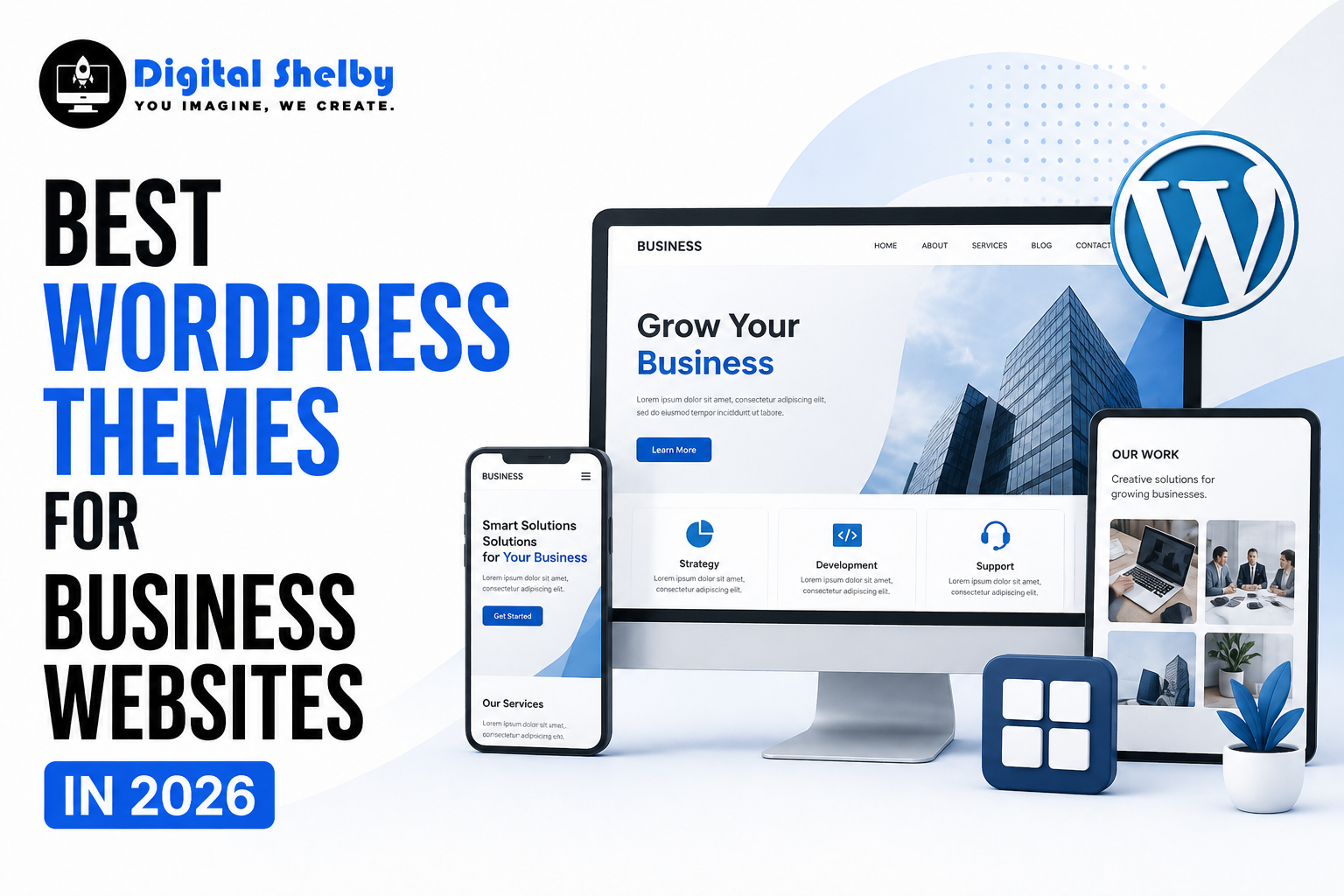
Best WordPress Themes for Business Websites in 2026: Expert-Tested Picks
Your website is usually the first thing a potential customer sees. And whether that first impression earns you a client or loses you one often comes down to something as foundational as your WordPress theme. Not just how it looks, but how fast it loads, how well it converts visitors, and how confidently it reflects your brand.
We’ve spent considerable time testing, breaking, rebuilding, and comparing themes across dozens of real business websites. The result? This carefully curated guide to the best WordPress themes for business websites in 2026, covering everything from lightweight free options to powerful premium picks that agencies and growing companies swear by.
If you’re starting fresh, redesigning an existing site, or just tired of a theme that’s slowing you down, this is the guide you need.
What Actually Makes a Business WordPress Theme Worth Using in 2026?
Before diving into the list, let’s get clear on what separates a genuinely great business theme from the thousands of mediocre ones flooding the market.
Speed is no longer optional. Google’s Core Web Vitals have made page performance a direct ranking factor. A bloated theme that loads in 4 seconds on desktop and 7 on mobile isn’t just bad UX; it’s an SEO liability. Themes built on clean, minimal code (under 50KB by default) give you a measurable head start.
Mobile-first design matters more than ever. Google has been using mobile-first indexing for years now. If your theme doesn’t render beautifully on a 375px screen, you’re not just losing mobile users. You’re quietly being penalized in search rankings too.
Full Site Editing (FSE) compatibility is the new standard. WordPress has firmly moved toward block-based editing, and themes that support FSE give you far more control over headers, footers, page templates, and layouts without touching a single line of code.
WooCommerce integration, plugin compatibility, and ongoing developer support round out the non-negotiables. A theme abandoned by its developers is a security risk waiting to happen.
With that framework in mind, here are the themes that genuinely deliver.
Best WordPress Themes for Business Websites in 2026
1. Astra: The All-Around Champion
If there’s one theme that consistently tops every credible list of the best WordPress themes for business websites, it’s Astra, and for good reason. It’s been downloaded over 2 million times, but what makes it earn that trust is real-world performance, not just marketing.
Astra loads in under 50KB by default, making it one of the lightest themes available. It ships with 250+ starter templates designed for specific niches like consulting firms, SaaS companies, law offices, e-commerce stores, and marketing agencies. Each template is polished enough to deploy with minimal customization.
It works seamlessly with Elementor, Beaver Builder, Brizy, and the native block editor. The free version is genuinely usable, and the Pro version (starting around $47/year) unlocks advanced header/footer builders, custom layouts, and WooCommerce cart upgrades that make a real difference for product-heavy businesses.
Best for: Startups, small to mid-size businesses, agencies managing multiple client websites.
Pricing: Free; Astra Pro from $47/year
2. GeneratePress: When Raw Speed Is the Priority
There’s a particular kind of business owner who reads benchmark tests for fun. GeneratePress was built for them, and it happens to be an excellent choice for everyone else too.
It’s the lightest theme on this list at around 30KB. No bloat. No page builder dependency. Just clean, standards-compliant HTML and CSS that loads fast on every device and connection speed. It scores consistently well on Google PageSpeed Insights, which directly influences how your site performs in search.
The free version is solid, but GeneratePress Premium (around $59/year) adds the real power: sections, elements, hooks, and site library access with 35+ professionally designed starter sites. For businesses where speed is a competitive differentiator, think SaaS, fintech, or any site running Google Ads, this theme pays for itself quickly.
Best for: Performance-focused businesses, developers, and sites where PageSpeed scores directly impact revenue.
Pricing: Free; Premium from $59/year
3. Kadence: The WooCommerce Specialist
Kadence has quietly become one of the most respected themes in the WordPress ecosystem, particularly among e-commerce businesses. Its WooCommerce integration is among the best available, with optimized product pages, improved cart behavior, and conversion-focused templates that don’t require a third-party plugin to work properly.
Beyond e-commerce, Kadence performs brilliantly as a multipurpose WordPress theme for small businesses. The header and footer builder is intuitive, the global color and typography controls are clean, and the starter templates cover a solid range of business types. Kadence Blocks (the companion plugin) extends the Gutenberg editor significantly, making it genuinely competitive with paid page builders.
One standout feature: Kadence’s “Conversions” add-on lets you build pop-ups, slide-ins, and sticky bars natively without touching a separate plugin.
Best for: E-commerce businesses, service companies wanting an all-in-one solution, small businesses on a budget.
Pricing: Free; Kadence Pro from $79/year
4. Divi 5: The Agency Workhorse, Rebuilt
Divi has been a staple of agency workflows for years. Divi 5, released in late 2024, is essentially a ground-up rewrite that addresses the performance criticisms that followed earlier versions.
The redesigned visual builder is faster and more intuitive than before. The new “Preset-first” design system lets you build global design variables like colors, fonts, and spacing that update everywhere simultaneously. Native flex and grid layout support means you can achieve designs that previously required custom CSS, all within a visual interface.
For agencies building multiple sites per year, Divi’s pricing model makes strong business sense. An Elegant Themes membership covers Divi, all their plugins, and unlimited sites. The learning curve is steeper than Astra or Kadence, but the creative ceiling is also much higher.
Best for: Agencies, freelancers, businesses with complex design requirements, and membership sites.
Pricing: From $89/year (Elegant Themes membership, unlimited sites)
5. Neve: The Mobile-First Contender
Neve, developed by Themeisle, was built from the ground up with mobile performance as the primary design constraint, not an afterthought. The default installation uses vanilla JavaScript with no jQuery dependency, which alone eliminates one of the most common sources of render-blocking resources on WordPress sites.
Its drag-and-drop header and footer builder is among the most intuitive available, and AMP compatibility makes it a strong option for businesses targeting audiences on slower mobile connections. The starter template library has grown significantly and now includes solid options for service businesses, consultants, and local companies.
Neve Pro’s white-label option also makes it a popular choice for web design agencies that want to deliver branded client sites without theme-level attribution.
Best for: Mobile-first businesses, local service companies, and agencies needing white-label options.
Pricing: Free; Neve Pro from $69/year
6. Blocksy: The Modern FSE Contender
If you’re building on WordPress’s native block editor and want a theme that takes Full Site Editing seriously, Blocksy deserves a close look. It was built specifically for the modern WordPress era, with deep Gutenberg integration and dynamic asset loading that keeps page weight minimal regardless of how complex your layout becomes.
Blocksy’s customizer is refreshingly well-organized. Dark mode support is built in. Multiple header and footer layouts are available. The Pro version adds WooCommerce booster features, custom post types, and content blocks that make it genuinely versatile for business use.
For businesses that want to stay within the WordPress ecosystem with no third-party builders and no unnecessary dependencies, Blocksy is among the cleanest and most forward-thinking options on this list.
Best for: Businesses committed to the block editor, developers, and design-forward startups.
Pricing: Free; Blocksy Pro from $49/year
7. SeedProd: The Conversion-Focused Builder Theme
SeedProd sits in a slightly different category from traditional themes. It’s a drag-and-drop theme builder that lets you design every part of your website, including headers, footers, archive pages, and single post templates, entirely visually without writing code or relying on an external page builder.
Its AI-powered content blocks and conversion-focused landing page templates make it particularly effective for businesses running paid advertising campaigns. Pre-built sections for testimonials, pricing tables, CTAs, and countdown timers are well-designed and deploy quickly.
SeedProd’s native integrations with WPForms, OptinMonster, and All in One SEO cover most of what a marketing-focused business needs without heavy plugin stacking.
Best for: Business owners without technical backgrounds, marketers, and businesses running paid campaigns.
Pricing: Free; paid plans from $39.50/year
8. OceanWP: The Flexible All-Rounder
OceanWP has earned its place on this list through sheer versatility and a generous free version. It’s responsive, fast, and WooCommerce-ready out of the box. The extension library, which includes features like sticky header, social sharing, and custom sidebars, lets you build a reasonably powerful site without upgrading to Pro.
Its performance has improved noticeably in recent updates, and it remains one of the more reliable options for businesses that need a dependable foundation without a steep learning curve.
Best for: Businesses new to WordPress, freelancers, and content-focused company websites.
Pricing: Free; OceanWP Core Bundle from $43/year
Free vs. Premium WordPress Themes: What Should Your Business Choose?
This question comes up constantly, and the honest answer is: it depends on what your website is expected to do.
Free themes like the free versions of Astra, GeneratePress, and Kadence are genuinely capable. If you’re in the early stages of your business, testing a concept, or working with a tight budget, starting with a quality free theme is a smart move. You won’t be penalized for it.
Premium themes become the better investment when your website is actively generating revenue or is expected to generate it. The added features such as advanced headers, conversion tools, deeper WooCommerce integration, and priority support tend to save more time in the first month than the license costs. A $59 annual subscription is a rounding error compared to the cost of a slow or poorly converting business website.
The real risk isn’t spending money on a premium theme. It’s choosing the wrong theme, free or paid, and paying for it through poor rankings, slow load times, and a site that doesn’t grow with your business.
How to Choose the Best WordPress Themes for Your Specific Business
There’s no single best theme, only the best theme for your situation. Here’s a quick decision framework:
If you’re building a professional services site (law firm, consulting agency, financial services): Astra or Neve with a professional starter template will get you 80% of the way there in a day.
If you’re running or planning an online store: Kadence or Astra Pro with WooCommerce gives you the most complete native integration without sacrificing speed.
If your agency manages multiple client websites: Divi’s unlimited site licensing or Astra’s Agency plan delivers far better ROI than buying individual licenses.
If search performance is your primary growth channel: GeneratePress, built lean and clean, will consistently outperform heavier multipurpose themes in speed benchmarks.
If you’re non-technical and need to move fast: SeedProd’s visual builder removes the steepest part of the WordPress learning curve entirely.
Common Mistakes to Avoid When Picking a WordPress Business Theme
Choosing based on looks alone. A beautiful demo site is almost always populated with premium stock images, custom fonts, and sample content that won’t automatically transfer to your site. Judge a theme by its underlying performance metrics, update frequency, and support quality.
Ignoring the developer track record. A theme that hasn’t been updated in 18 months is a liability. WordPress core, WooCommerce, and popular plugins update constantly. Your theme needs to keep pace.
Installing too many plugins to compensate for a weak theme. Every plugin adds weight. If you’re stacking five plugins just to replicate features another theme includes natively, you’ve chosen the wrong theme.
Skipping mobile testing before launch. Your theme may look perfect on desktop and break entirely on a 375px screen. Always preview your site on actual mobile devices, not just a browser’s device emulator, before going live.
Quick SEO Tips After Installing Your Business Theme
Getting the right theme is step one. Keeping your site fast and search-optimized after launch requires a few more intentional moves:
- Install a caching plugin immediately. WP Rocket or LiteSpeed Cache are the current top performers.
- Convert all images to WebP format. Plugins like Imagify or ShortPixel handle this automatically.
- Run Google PageSpeed Insights on your homepage within 24 hours of launch and fix the top three recommendations.
- Disable any theme modules or extensions you’re not actively using. Most modern themes load all features by default.
- Pair your theme with a solid SEO plugin. Rank Math or Yoast SEO work well with all the themes on this list.
Final Verdict: Which WordPress Business Theme Should You Pick in 2026?
After testing all of these themes across real business sites, here’s where we land:
Astra remains the safest, most versatile choice for the majority of business websites. It’s fast, flexible, well-supported, and the starter template library genuinely reduces the time from a blank canvas to a launch-ready site.
GeneratePress is the right call when performance benchmarks actually matter to your business model.
Kadence is the one to pick if WooCommerce is central to how your business operates.
Divi 5 makes the most sense for agencies managing client sites at scale.
And if you’re building your very first business website and want to avoid a steep learning curve, SeedProd will get you to a professional-looking site faster than almost anything else on this list.
The themes are excellent. What you do with them, the strategy, the content, the conversion architecture, the SEO, that’s where the real work happens.
FAQS
Q1. Which are the best free WordPress themes for business websites in 2026?
Astra, GeneratePress, and Kadence are the top picks — fast, maintained, and WooCommerce-ready.
Q2. Can I download a professional WordPress business theme for free?
Yes. Look for high ratings, large install count, and recent updates on WordPress.org.
Q3. Best free WordPress theme for small business websites?
Astra for most businesses; Neve if your audience is primarily on mobile.
Q4. Is it safe to use free WordPress themes for business?
Safe from trusted sources. Never download from random sites or use nulled themes.
Q5. Professional WordPress theme that’s easy to customize without coding?
Use starter template imports. Astra + Elementor or SeedProd are the most beginner-friendly options.
Ready to Build a Business Website That Actually Performs?
Choosing the right theme is just the beginning. A fast, well-designed WordPress site needs the right strategy behind it to consistently attract visitors, convert leads, and grow your business online.
At Digital Shelby, we specialize in building professional, high-performance WordPress websites for businesses across India and beyond. From custom web design and development to SEO, PPC, and complete digital marketing strategies, we handle everything so you can focus on running your business.
📞 Call us: +91 8059463836 | +91 8953467103 🌐 Visit: www.digitalshelby.com 📧 Get a free quote:digitalshelby.com/contact-us
Let’s build something great together. Whether you’re starting from scratch or ready to upgrade your existing site, our team is ready to make it happen.