
What is SEO and Why Does Your WordPress Site Need It?
You just launched a beautiful website. The design looks crisp, the pages load fast, and your services stand out clearly. Yet, weeks pass, and your analytics dashboard shows zero traffic. You built an amazing digital storefront, but you forgot to tell the internet how to find it.
This scenario happens constantly to new business owners. When clients ask the team at Digital Shelby exactly what is SEO for WordPress, we explain that building the site is only half the battle. You need a deliberate strategy to drive eyes to your pages. A website without traffic is just a hidden billboard in a basement. In this comprehensive guide, we will break down the mechanics, detail the exact reasons your business requires this strategy, and outline the steps to secure a top spot in search results.
The Invisible Bridge: Search Engine Optimization Explained
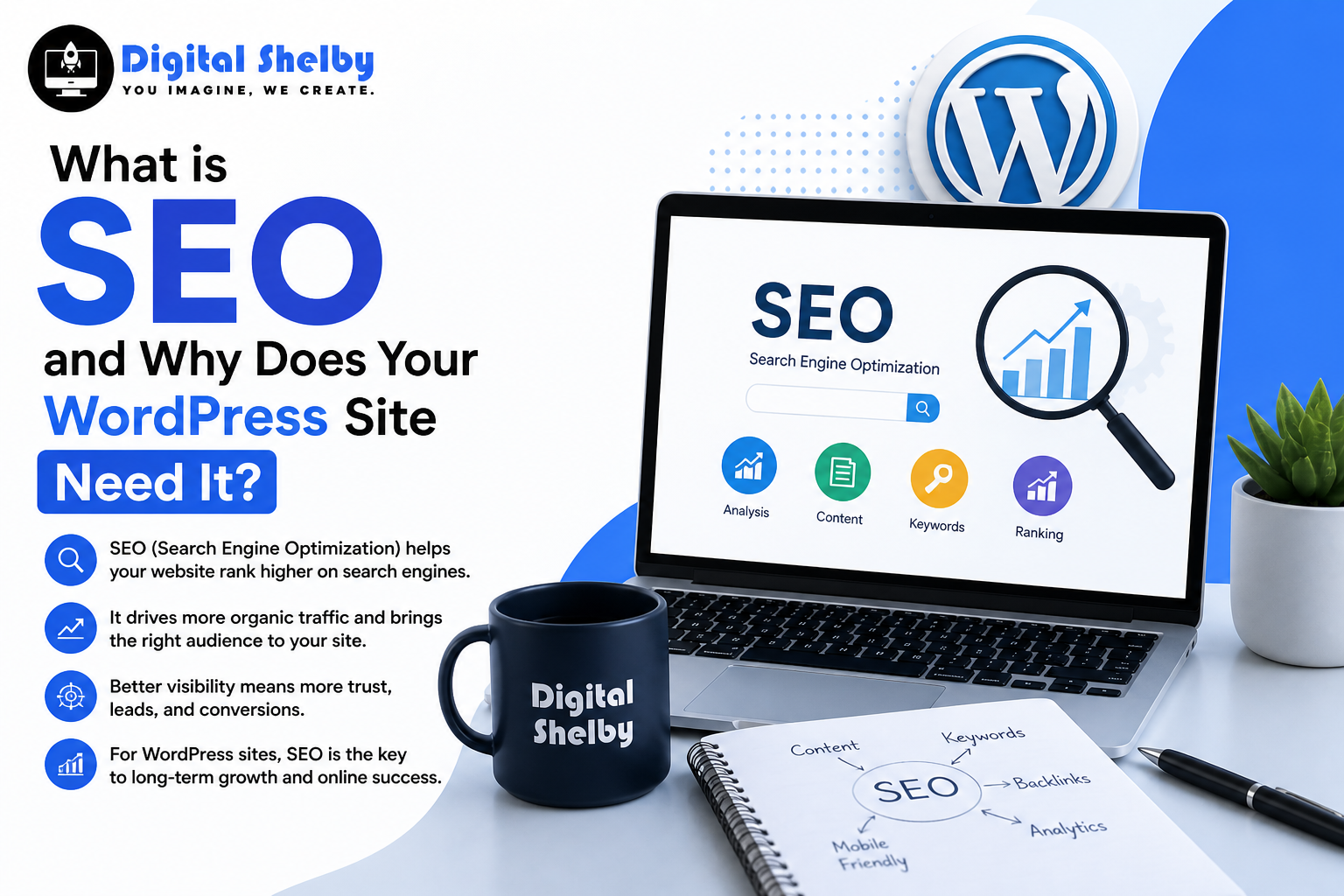
Before diving into complex marketing tactics, getting search engine optimization explained in plain, non-technical terms helps set the right foundation. SEO is the intentional, ongoing process of improving your website to increase its visibility on search engines like Google and Bing.
When a potential customer types a query related to your specific products or services, your goal is to appear at the very top of those search results. You cannot buy your way to the top of organic listings. Search engines have one primary goal: to provide the user with the most accurate, helpful, and relevant answer to their query. If your website proves it is the best answer, you win the ranking. To fully grasp what is SEO for WordPress, you must view it as building a bridge of trust between your content and the search algorithms.
The Three Primary Pillars of Website Visibility
Mastering WordPress SEO basics starts with understanding the three main categories of optimization. You need all three working together to see real movement in the search rankings.
1. On-Page Optimization: Perfecting Your Content
On-page optimization involves tuning the actual content and HTML elements on your website. This is the area where you hold the most direct control over your success. It includes identifying the exact phrases your customers type into Google and naturally integrating those keywords into your blog posts, service pages, and headings.
You also need to craft compelling title tags and meta descriptions that appear on the results page, encouraging users to click your link instead of a competitor’s. Above all, writing in-depth, original, and highly valuable articles that answer the searcher’s intent remains the most critical factor. The algorithm rewards pages that solve user problems efficiently.
2. Technical Tuning: Fixing the Engine Behind the Scenes
Technical optimization happens entirely in the background. It focuses on how well search engine bots can crawl, read, and index your website. You could have the best-written content in your industry, but if technical errors block Google from reading it, you will never rank.
Key aspects include site speed—pages must load in under two seconds and mobile responsiveness. Since the vast majority of web traffic comes from smartphones, your site must look and function perfectly on a small screen. Furthermore, technical tuning involves optimizing your site architecture. A logical site structure allows bots to easily map out your pages and understand the hierarchy of your content. You also need to implement an XML sitemap, which acts as a roadmap for search engines, guiding them directly to your most important pages.
3. Off-Page Authority: Building Industry Trust
Understanding the full scope of what is SEO for WordPress means looking beyond your own domain. Off-page optimization refers to actions taken entirely outside of your website that impact your rankings. The most critical component here is building backlinks.
A backlink is a link from a reputable, external website pointing back to your domain. Search engines view these links as votes of confidence. If a highly trusted news outlet or a major industry publication links to your site, Google assumes your content holds significant value. Earning these high-quality links requires active digital public relations, outreach campaigns, and creating resource-driven content that other professionals naturally want to reference. Beyond backlinks, off-page strategies also include managing local directory listings and cultivating a strong social media presence that drives brand awareness back to your main domain.
The Business Impact: Why WordPress Needs SEO
If you are still wondering exactly why WordPress needs SEO, the answer comes down to sustainable, long-term business growth. Paid search ads guarantee immediate placement at the top of the page. However, the exact second you stop paying the advertising platform, your traffic drops to zero. Organic search requires an upfront investment of time and resources, but it builds a pipeline of visitors that lasts for years.
High search rankings also generate instant credibility. If Google places your site on the first page for a competitive keyword, users automatically assume you are a leading authority in your industry. Consistent optimization efforts signal to both the algorithm and the human reader that your business is legitimate, active, and reliable. A well-optimized blog post published today continues to generate leads far into the future, making it an appreciating digital asset.
Furthermore, a well-optimized site creates a frictionless experience for human visitors. By fixing technical errors and improving load times, you naturally build a cleaner, easier-to-navigate interface. You hit two targets at once: you please the search engine bots, and you keep your human visitors happy, which ultimately leads to higher sales and conversion rates.
Leveraging WordPress SEO Benefits
If you chose this specific platform to build your site, you are already operating at an advantage. The core software offers inherent WordPress SEO benefits straight out of the box. The platform generates standard, compliant HTML, which makes it incredibly easy for search engine crawlers to parse your data and understand the context of your pages.
Additionally, the software allows you to easily edit your URL structures. Instead of messy default URLs with random numbers, you can cleanly format your links to include your target keywords, providing an immediate ranking signal. The massive plugin repository also offers direct access to industry-leading tools like Rank Math and Yoast. These plugins provide you with a checklist directly inside your post editor, ensuring your keywords, meta tags, and readability scores are perfectly tuned before you hit publish. To truly answer what is SEO for WordPress, you just have to look at how easily the platform integrates with these advanced marketing tools to streamline your daily workflow.
Key Questions Users Typically Search
How long does it take to see results?
Users researching what is SEO for WordPress often ask about the timeline. This strategy requires patience. For a brand new domain, it typically takes three to six months to start seeing initial movements in your search rankings. Gaining the top spots for highly competitive keywords can take a year or more of consistent effort. It functions as a long-term business strategy, not a quick fix.
Can I handle the optimization myself?
You can absolutely manage basic on-page edits yourself. Writing high-quality content, formatting your headings, and using a plugin are excellent starting points. However, scaling your traffic and executing complex technical audits or professional link-building campaigns usually requires the specialized skills of a digital marketing team.
Is SEO a one-time task?
Absolutely not. The digital landscape shifts constantly. Search engines update their algorithms thousands of times a year to improve the quality of their results. Competitors constantly publish new articles and refine their own strategies. To maintain your rankings, you must continually monitor your performance, update old content, fix broken links, and adapt to new industry trends.
Do I need to pay Google to rank higher organically?
No. You cannot pay Google for organic search rankings. The organic results are determined entirely by the search algorithm. Google Ads is a completely separate platform where you pay per click for sponsored placements, but investing in ads does not improve your organic search performance.
Final Thoughts on Securing Your Digital Future
Launching your website is only step one. Without a dedicated strategy to attract visitors, your digital storefront remains empty. By investing time, effort, and resources into search optimization, you build a resilient digital asset that consistently brings in qualified leads, sales, and dedicated readers.
The team at Digital Shelby specializes in turning standard website builds into high-ranking, lead-generating powerhouses. If you’re ready to stop guessing and start driving real, consistent traffic to your business, now is the time to act.
Get in touch with Digital Shelby today for a personalized SEO strategy and take the first step toward sustainable online growth.